MCP Inspector
The MCP Inspector is a browser-based tool for exploring and testing MCP servers - list tools, call them, browse resources, see prompts, and inspect raw JSON-RPC traffic.
Install
npx @modelcontextprotocol/inspector@latest
This opens a browser tab at http://localhost:6274.
Connect to a stdio server
In the Inspector UI:
- Choose STDIO transport type
- Set Command to the path of your built binary (e.g.
./target/debug/hello-mcp) - Click Connect
./target/debug/hello-world-mcp-server-stdio
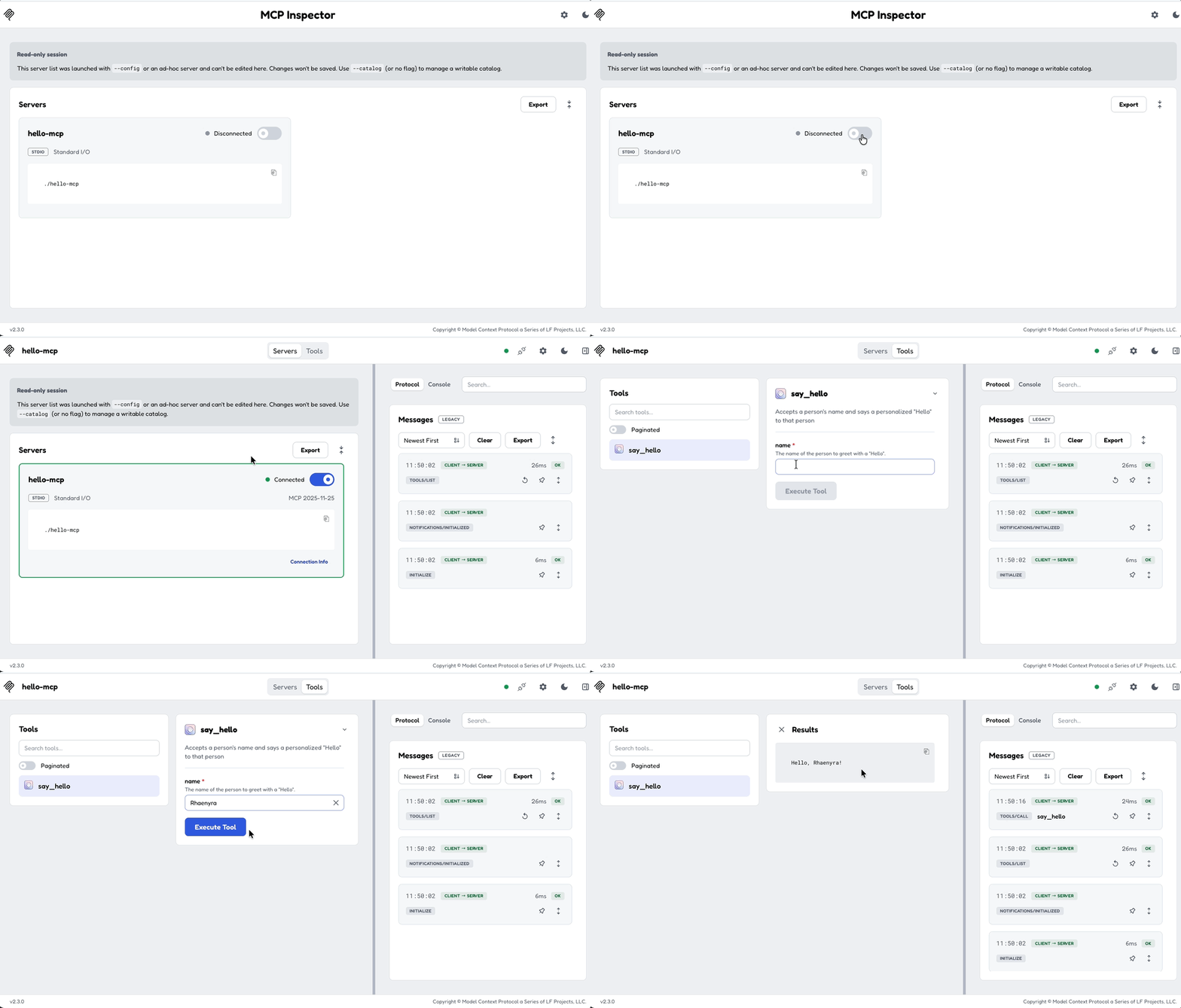
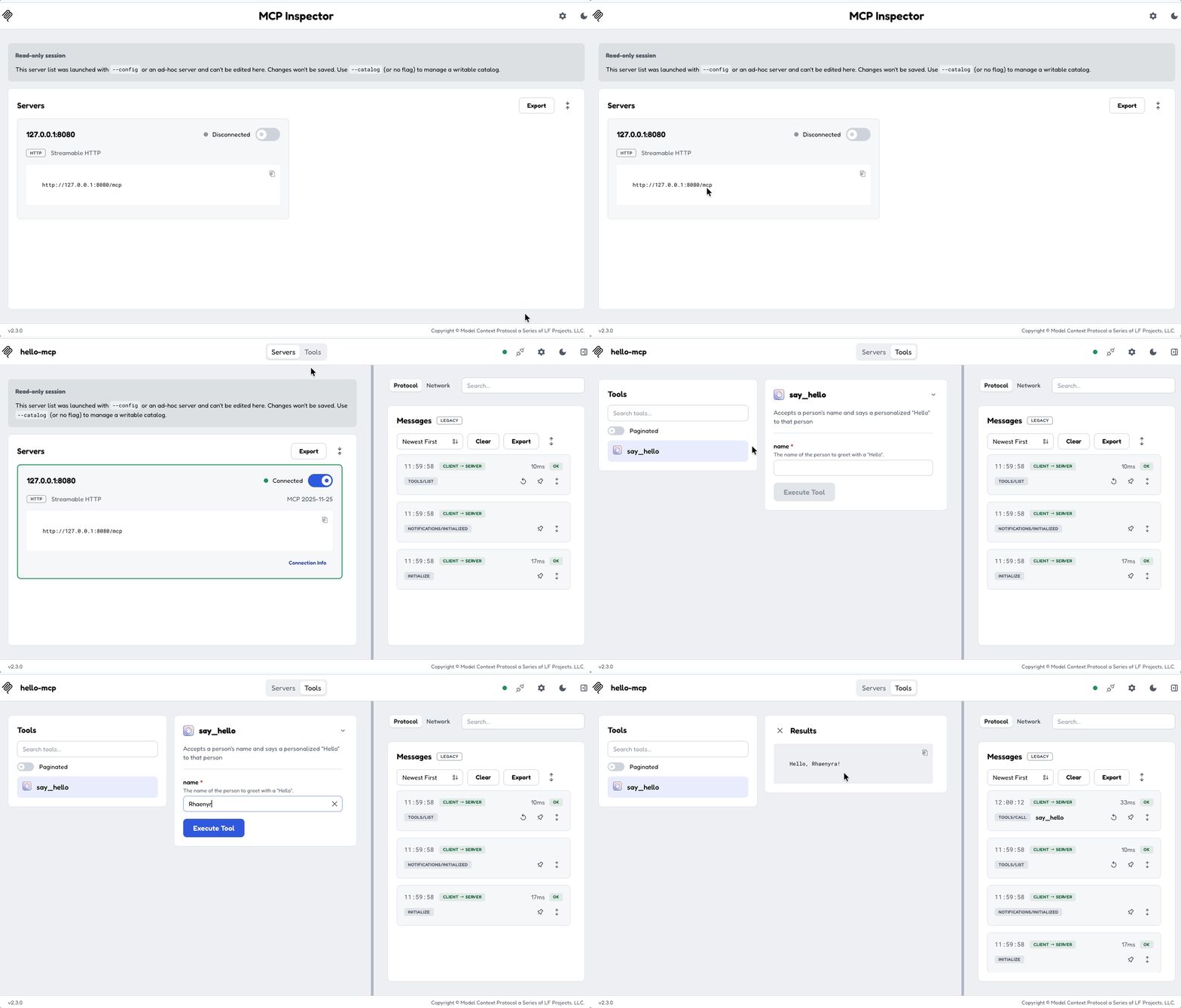
Connect to a Streamable HTTP server
Open this URL with your server's address:
http://localhost:6274/?transport=streamable-http&serverUrl=http://localhost:8080/mcp
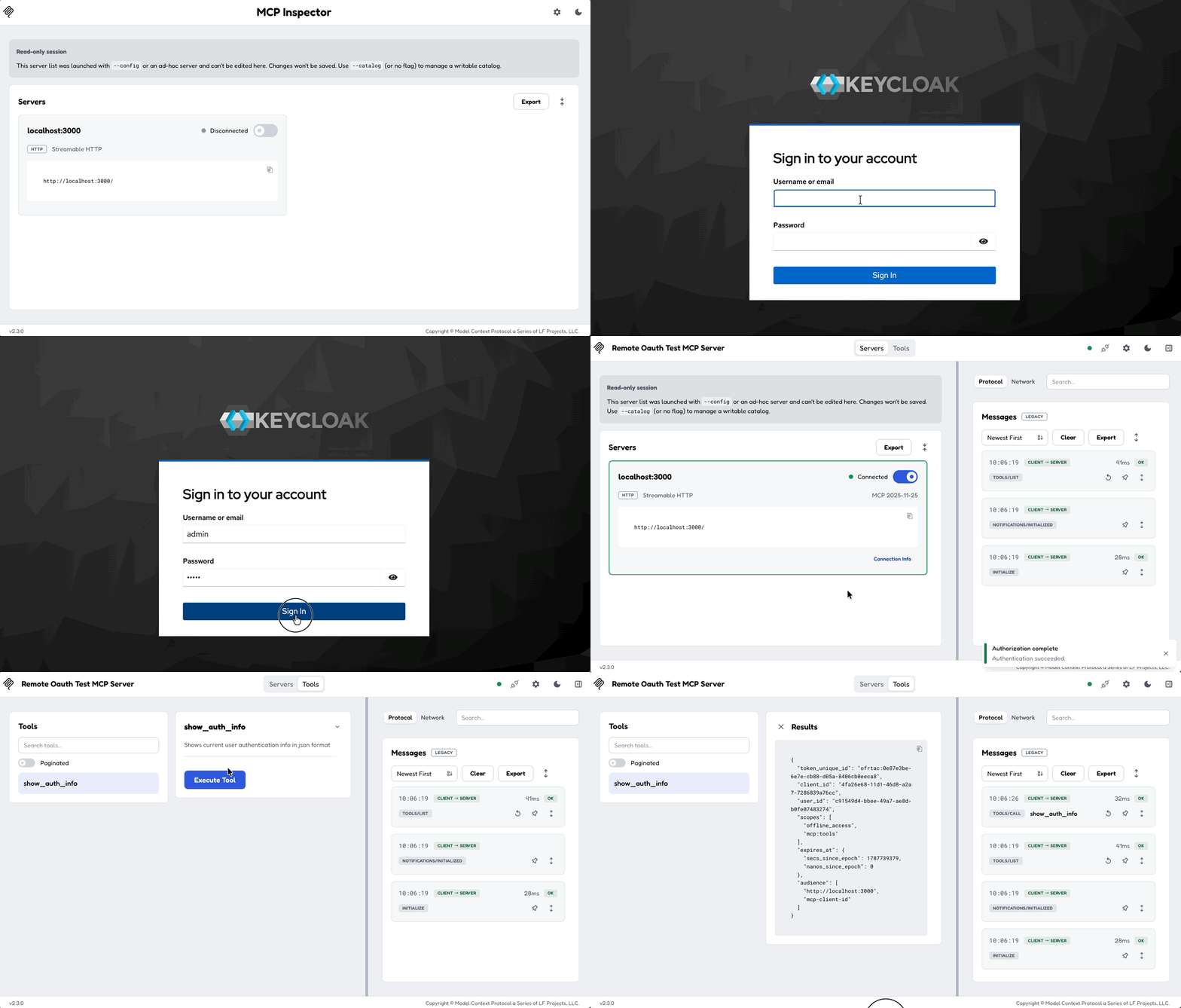
Connect to an OAuth-protected server
When connecting to an auth-protected server, the Inspector handles the OAuth flow automatically. You'll be redirected to the provider's login page, then back to the Inspector with a valid token.
What you can do
- Tools - list and invoke tools with JSON arguments
- Resources - list and read resources by URI
- Prompts - list and render prompts with arguments
- Raw traffic - inspect the full JSON-RPC request/response stream
- Notifications - see server-sent notifications in real time
Inspector vs programmatic client
| MCP Inspector | Rust client | |
|---|---|---|
| Use case | Development, debugging, demos | Integration tests, automation, production clients |
| UI | Browser-based | Your code |
| Auth handling | Automatic | You implement |
| Best for | Building tools | Using tools |